Pull Request Validation
CodeValid continuously monitors your repository and automatically runs tests whenever code changes are made.
Think of it as automatic testing and bug detection integrated into your pull request workflow.
When you make changes and create a pull request:
- CodeValid analyzes the changes
- Runs all relevant test cases
- Provides a summary of the test run
- If any tests fail, it generates a root cause analysis and suggests code fixes that you can review and commit
Setting up Pull Request Validation
- Make sure pull request review is enabled in the CodeValid application (available under Settings).
- The branch you are creating the pull request from should have a
.codevalidfolder. If it does not, merge the changes from the CodeValid default branch.Hint: You can identify the default branch from the application settings (available under Settings).
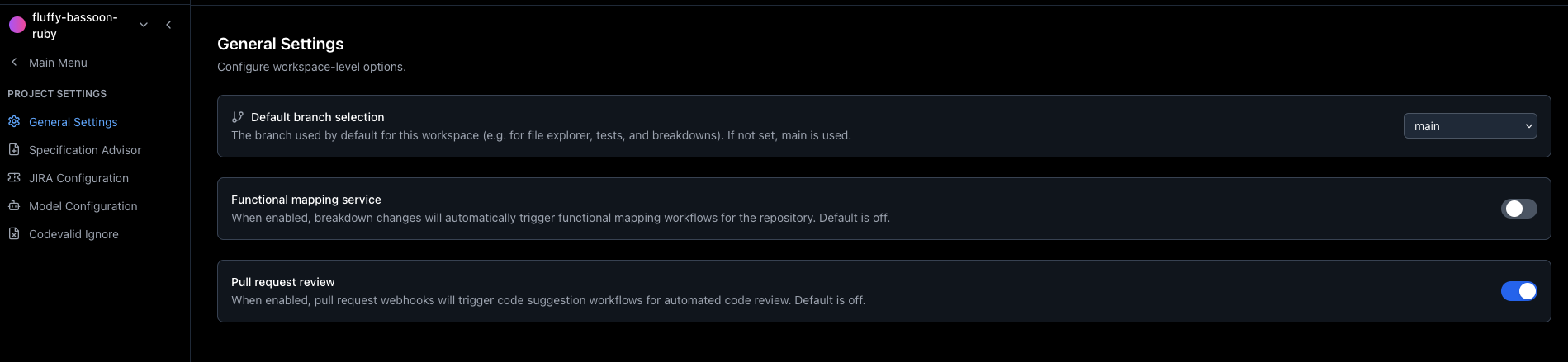
Settings page showing the default branch and Enable pull request review option.
How it works
- If above settings are configured, CodeValid will automatically assign itself as a reviewer in GitHub when you create a pull request.
- Wait a few minutes for CodeValid to start the testing process, as soon as it starts you will see a comment from CodeValid displaying the progress.
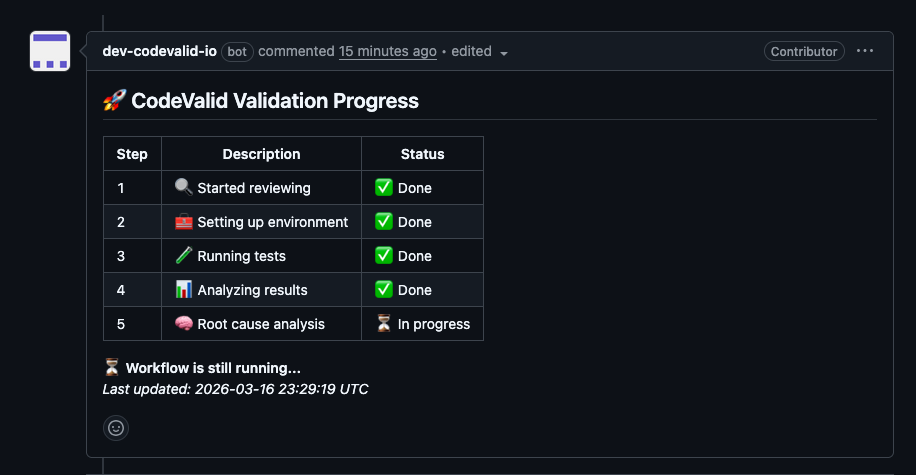
-
Once the testing process is complete, CodeValid will produce:
- A summary of test execution showing passed and failed tests
- If there are failures, a root cause analysis explaining the issue
- Suggested code fixes with an option to commit the changes directly
-
You can commit the changes proposed by CodeValid by adding a new comment @codevalid/commit.
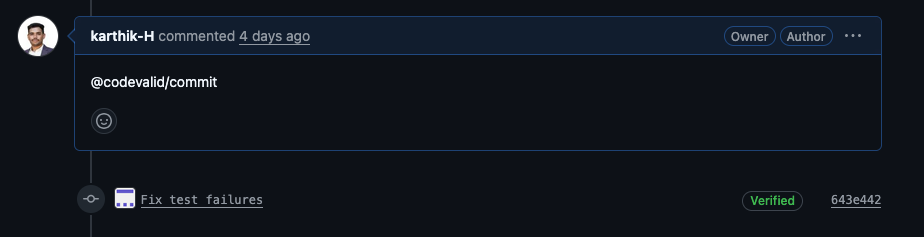
When does validation runs for a pull request?
CodeValid validation is triggered in all of the following situations:
| Scenario | Description |
|---|---|
| New Pull Request created | You open a new pull request. |
| New commit on Pull Request | You push one or more new commits to an existing pull request. |
Commit with @codevalid/retry | You add a pull request comment whose message includes @codevalid/retry to re-run validation. |
| Pull Request reopened | A previously closed pull request is reopened. |
In each case, the event leads to CodeValid running validation on the Pull Request:
Comment commands
You can use these commands in PR comments to control CodeValid:
| Command | Description |
|---|---|
| @codevalid/commit | Applies and commits the code fixes suggested by CodeValid for the current PR. |
| @codevalid/retry | Re-runs validation on the pull request. |